Filters
Filters allow you to refine queries. This page explains how to identify and use available filters.
Understanding Filters
Filters correspond to OpenSearch field mappings and are index specific.
Each index may have different fields available depending on data structure.
To ensure your API queries work correctly, you must use valid field mappings that exist in your target index.
Finding Available Filters
To identify which filters are available for your API queries:
- Navigate to the Discover section in Central Monitoring
- Select the index pattern, in the upper-left dropdown menu, that you plan to query via the API
- Expand a document to view its field structure
- Note the field names and data types available for filtering
Example
To filter for the region eu-west-1, you would use the atr.infra_data.region mapping
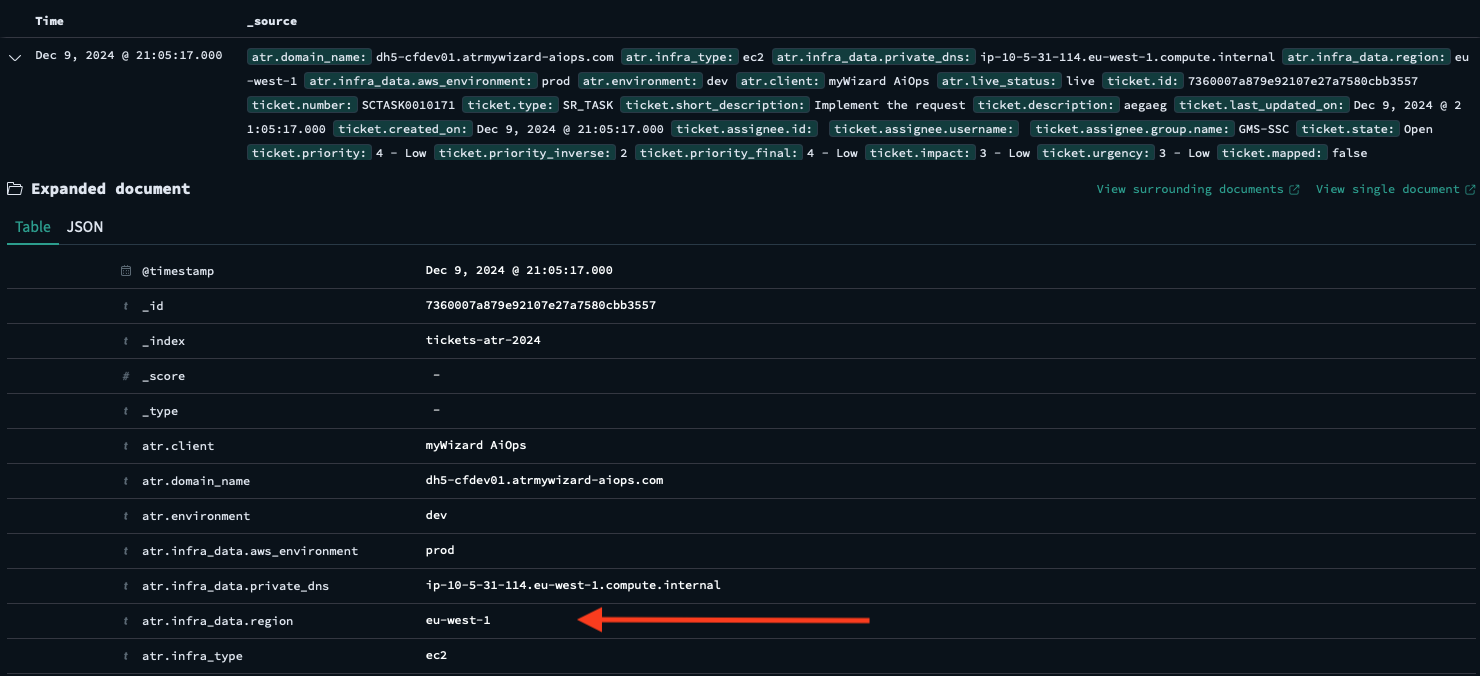
Field names are case-sensitive and must match exactly as they appear in the index mapping.
Using Filters in API Queries
Once you've identified available fields, you can use them as filters in your API requests. Refer to the API Reference for specific endpoint documentation, including correct filter syntax and supported operations.